 Brightstreet Group
.png)
IKO Plus: Shhhhhhhhh - Secrets Management for IRIS Clusters with External Secrets Operator
.png)
Now Under Heavy Rotation, Your IrisCluster Secrets
A few days before Kubecon, the external-secrets-operator went GA with 1.0.0 and is set to ride shotgun for Kubernetes Secrets Management, putting Vault in the backseat.
You can glance at the Providers list and immediately understand that you can leave the “which Secrets Manager” conversation to others while you do your job utilizing external secrets on your IrisCluster workloads. By my count, with the operator and a single IrisCluster, you can easily have a fistful of secrets of different types, even under a single tenant.
The Mission
Let’s generate a pull secret in Google Cloud Secret Manager for use with the IKO image from containers.intersystems.com and use ESO to resolve it into our cluster.
Step 1: Cluster Setup
Stand up a k0s cluster for local use:
# Download and install k0s
curl -sSLf https://get.k0s.sh | sudo sh
sudo k0s install controller --single
sudo k0s start
sudo k0s status
Step 2: The Secret
Generate a Docker secret and jam it into Google Cloud Secret Manager.
# Enable Secret Manager in GCP
gcloud auth login
gcloud config set project ikoplus
gcloud services enable secretmanager.googleapis.com

# Create the docker secret
docker login -u="ron.sweeney@integrationrequired.com" containers.intersystems.com
# This creates config.json locally

# Upload to GCP
gcloud secrets create ikoplus-eso-gcp \
  --project="ikoplus" \
  --replication-policy="automatic" \
  --data-file=./config.json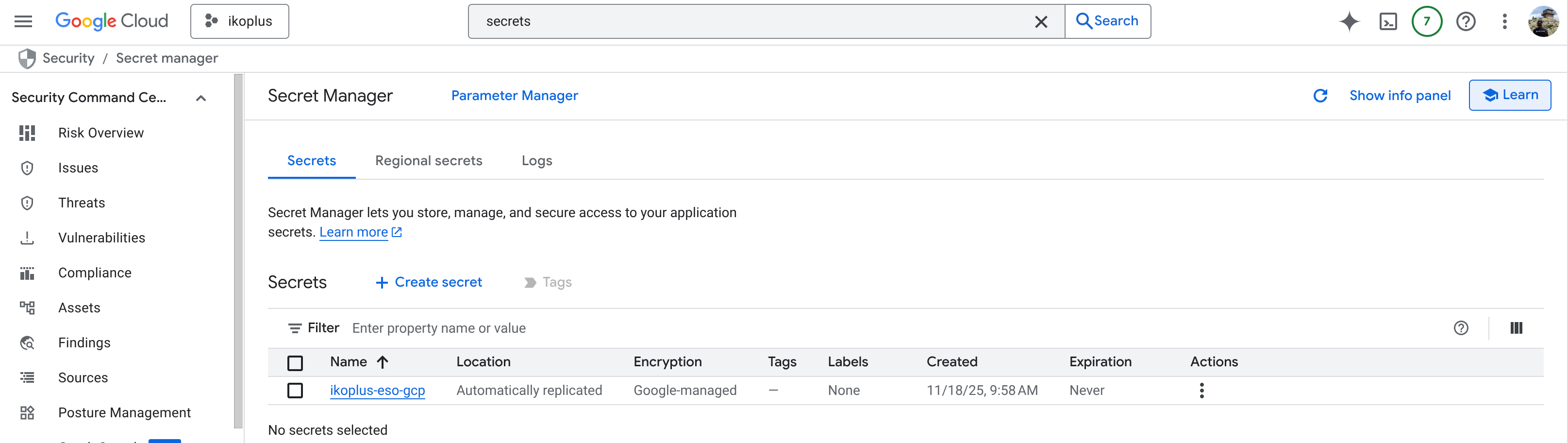
Step 3: Install External Secrets Operator (ESO)
Deploy ESO via Helm:
helm repo add external-secrets https://charts.external-secrets.io
helm install external-secrets \
  external-secrets/external-secrets \
  -n external-secrets \
--create-namespace.png)
Give it a minute to figure itself out, and when you are done you should have a total of 12 pods or so across 3 deployments in namespace “external-secrets”.
Step 4: Provision a SecretStore
A SecretStore is the custom resource that defines the communication line to the provider (GCP in our case).
# Create a K8s secret containing your GCP Service Account key
kubectl -n ikoplus create secret generic gcp-sm-credentials \
  --from-file=secret-access-credentials=ikoplus-key.json
gcpsm-secretstore.yaml
apiVersion: external-secrets.io/v1
kind: SecretStore
metadata:
  name: gcp-sm-store
  namespace: ikoplus
spec:
  provider:
    gcpsm:
      projectID: ikoplus
      auth:
        secretRef:
          secretAccessKeySecretRef:
            name: gcp-sm-credentials
            key: secret-access-credentials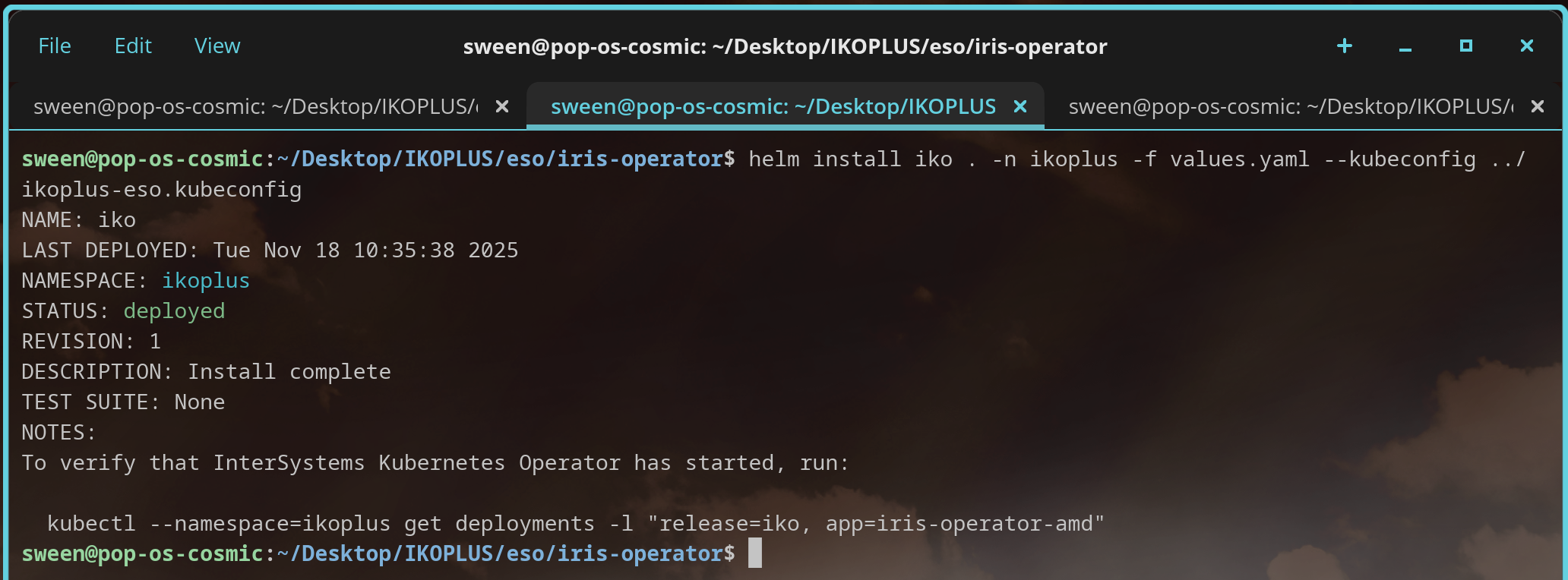
Step 5: Create ExternalSecret
Now, link the ExternalSecret to a plain ‘ol Kubernetes secret.
externalsecret-dockerconfig.yaml
apiVersion: external-secrets.io/v1
kind: ExternalSecret
metadata:
  name: external-containers-pull-secret
  namespace: ikoplus
spec:
  refreshInterval: 1h
  secretStoreRef:
    name: gcp-sm-store
    kind: SecretStore
  target:
    name: containers-pull-secret
    template:
      type: kubernetes.io/dockerconfigjson
      data:
        .dockerconfigjson: "{{ .dockerconfig | toString }}"
  data:
    - secretKey: dockerconfig
      remoteRef:
key: ikoplus-eso-gcp.png)
.png)
Step 6: Deploy IrisCluster
Update the IKO Helm Chart values to point to the secret managed by ESO:
imagePullSecrets:
- name: containers-pull-secret.png)
🎉 Successful Pull! The pod used containers-pull-secret, which was dynamically synchronized from Google Cloud Secret Manager by the External Secrets Operator.
.png)
Now you have somewhere to stash that password hash!
Related Reading: