 Brightstreet Group

Databricks Station - InterSystems Cloud SQL
Connecting the high-performance analytical capabilities of Databricks with the robust data management of InterSystems Cloud SQL opens up a world of possibilities for healthcare and financial data engineering. In this station, we’ll walk through the process of bridging these two clouds using JDBC.
The Setup: Driver and Connectivity
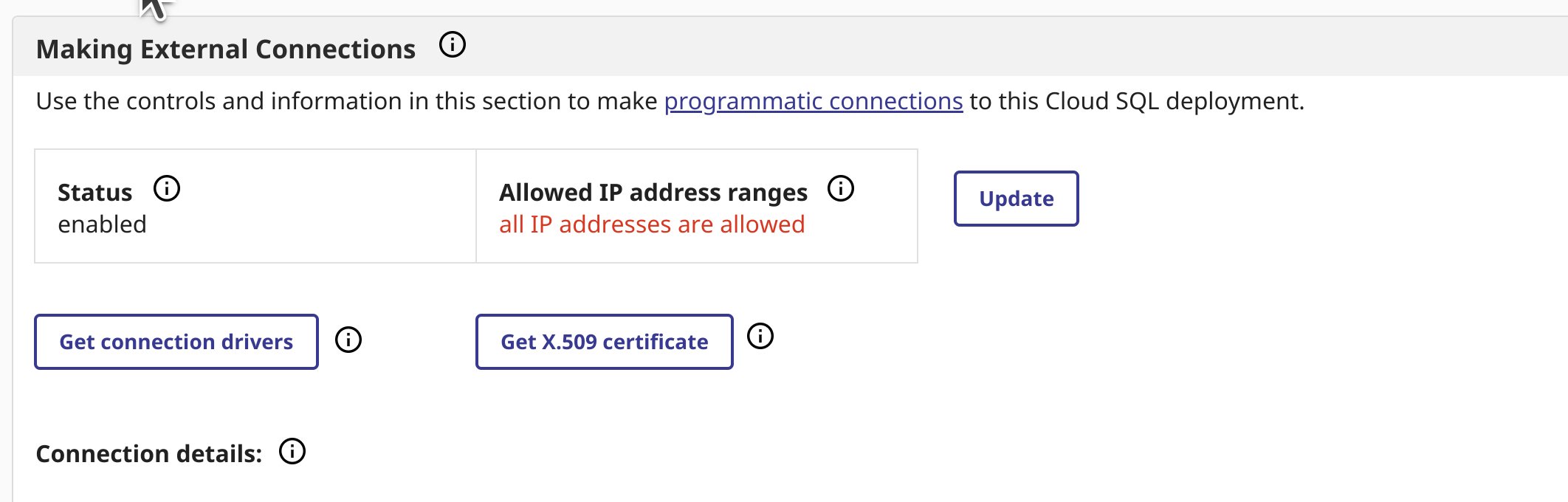
To get started, we need to ensure Databricks can speak “IRIS”. This involves uploading the InterSystems JDBC driver to our Databricks cluster and configuring the necessary environment variables.
Inbound: Reading from InterSystems Cloud SQL
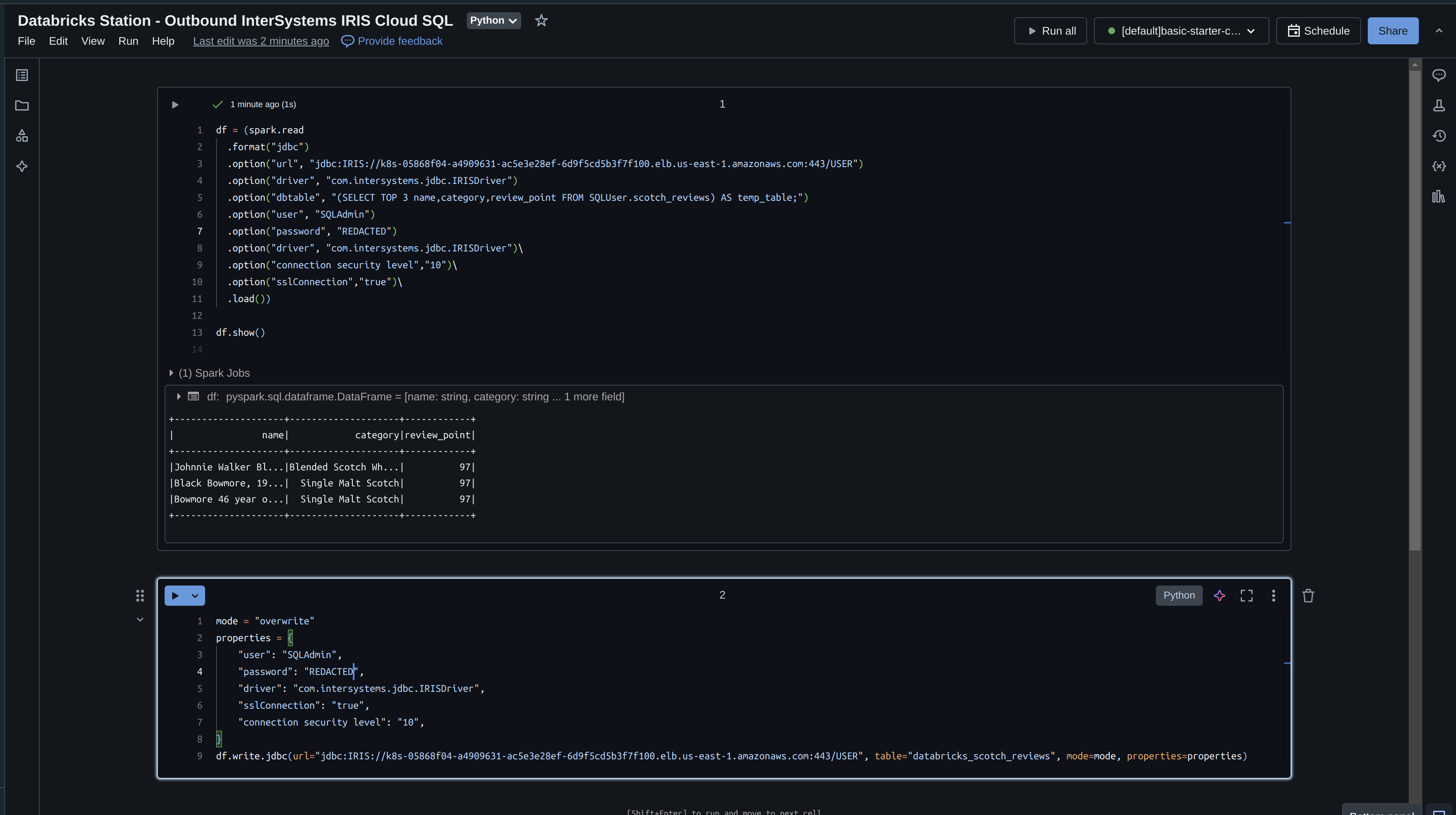
Once the driver is in place, we can use PySpark to read data from Cloud SQL. This is perfect for pulling curated datasets into Databricks for machine learning or complex feature engineering.

# PySpark Snippet to Read from Cloud SQL
jdbc_url = "jdbc:IRIS://cloud-sql-host:443/USER"
connection_properties = {
    "user": "DB_USER",
    "password": "DB_PASSWORD",
    "driver": "com.intersystems.jdbc.IRISDriver",
    "ssl": "true"
}

df = spark.read.jdbc(
    url=jdbc_url,
    table="(SELECT TOP 10 * FROM SQLUser.MyTable) AS tmp",
    properties=connection_properties
)
df.show()
Outbound: Writing to InterSystems Cloud SQL
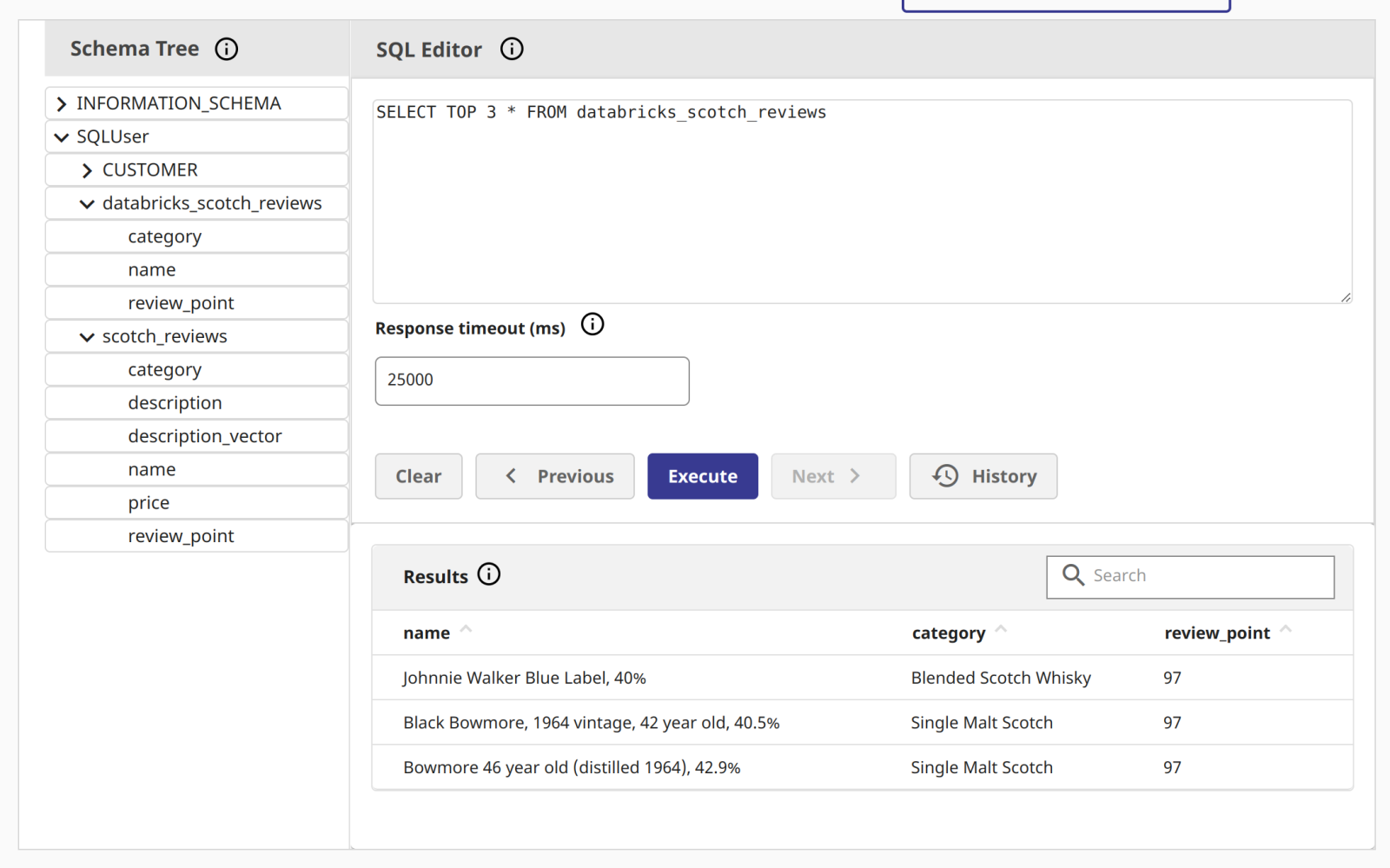
Equally important is the ability to write results back to Cloud SQL. Whether it’s model predictions or aggregated insights, pushing data back to the InterSystems environment makes it accessible to downstream applications and users.

# PySpark Snippet to Write to Cloud SQL
df_results.write.jdbc(
    url=jdbc_url,
    table="SQLUser.Analytics_Results",
    mode="overwrite",
    properties=connection_properties
)
Best Practices
When working with these two platforms, keep these tips in mind:
- Filter Early: Use PySpark’s DataFrame API to filter and aggregate data before reading from the database to minimize network transfer.
- Atomic Operations: For write operations, consider using transactions or single-partition writes to ensure consistency.
- SSL/TLS: Always use encrypted connections (SSL=true) when communicating between cloud environments.
Conclusion
Bridging Databricks and InterSystems Cloud SQL creates a powerful “data station” for your analytical workloads. By leveraging the strengths of both platforms, you can build scalable, high-performance data pipelines that drive real business value.